PPI and DPI are two of the most important terms any graphic designer or print buyer needs to understand, because together they decide how your printed piece turns out. Both describe an image's resolution and sharpness, but they apply to different things: PPI to your digital image on screen, and DPI to the physical printed product.
The two are easy to confuse, and it is a common mistake to assume they are interchangeable across print and digital. To produce high-quality print, you have to understand the difference. Below we break down what each term means so the distinction between PPI and DPI is clear.
What is the biggest difference between PPI and DPI?
PPI refers to the pixel resolution of a digital image, while DPI refers to the number of ink dots on a printed image.
PPI mostly affects how something looks on screen, but it also affects the physical size of your print, and therefore its output quality. DPI relates only to print output; it has no bearing on digital images.
PPI resolution
What is PPI?
PPI (pixels per inch) is the fixed number of pixels a screen can display, and it also describes the pixel density inside a digital image. Pixels likewise define an image's length and width, that is, the image's dimensions measured in pixels.
A pixel is the smallest unit in a picture. When you zoom into an image on your computer, those little coloured squares you see are the pixels.
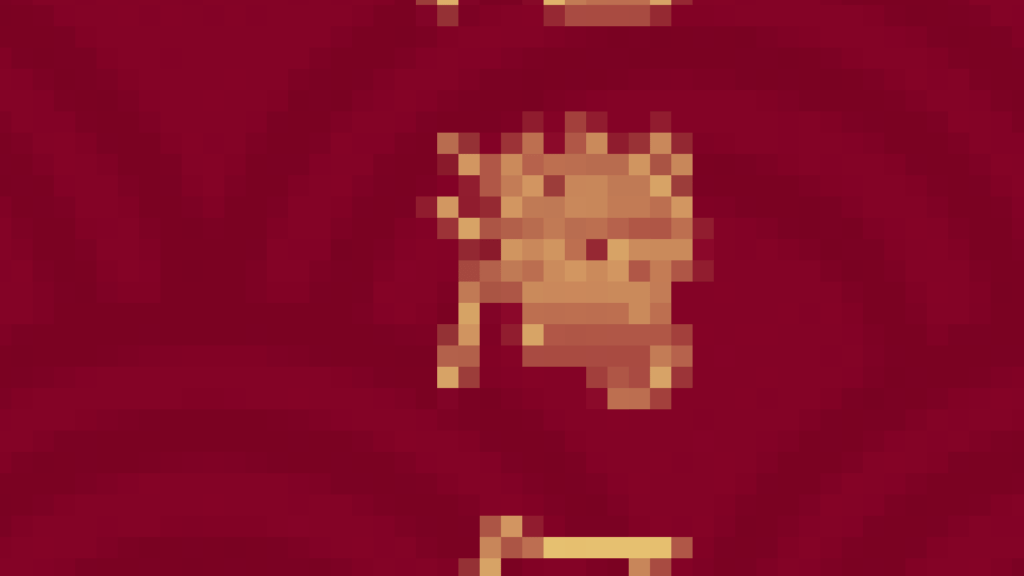
What pixels are made of
Pixels are made of red, green and blue (RGB) light. You cannot pick out the three colours by eye because they overlay one another to form each pixel and present it to us. RGB is additive light, emitted directly by an electronic screen, so it does not exist in printed material.
What does PPI apply to?
PPI applies only to digital images, which is why PPI is what you deal with when preparing print artwork. The higher an image's PPI, the better the printed result. Put another way, too few pixels give a poor print, so print images need at least 300 PPI. Below that, the finished piece will look pixelated.
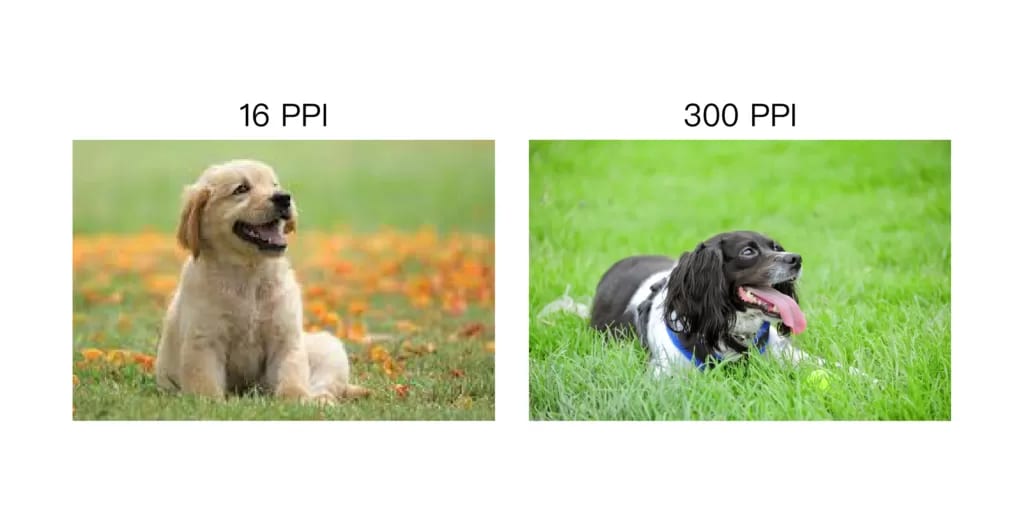
As the image above shows, insufficient PPI leaves a picture jagged and blurry, so a high PPI is essential for good print quality. But because a higher PPI also means a larger file, you can match the PPI to what you actually need. If an image has a lot of detail and the printed piece is small, such as a name card or stickers, then you need a high PPI.
Can you adjust an image's PPI?
An image's PPI is basically hard to change, because the picture only contains so many squares (pixels). No software can perfectly rebuild a low-resolution image back up to a true 300 PPI.
Many image tools now include a PPI-boosting feature, Photoshop among them. Their approach is to use AI to intelligently increase the pixel density and so raise the PPI.
Upscaling PPI in Photoshop, demonstrated

This method relies on the image's original information, however, so any detail the picture has lost is filled back in by the AI. That means the enlarged result differs from the original. Watch how the grass changes in the image below: the upscaled version looks noticeably softer.

Bigger PPI, bigger file
Often you cannot tell an image's PPI at a glance, but you can estimate whether it makes the grade from its file size. As a rule, images under 1 MB are not really suitable for print. Most images below 1 MB sit under 200 PPI, which spells real trouble for the finished print.
The image is too big to email
Working with large images brings one serious headache: they are hard to send. When that happens, you can use WeTransfer to send your print files over to us. If you have never used WeTransfer, take a look at our guide – 2GB print files, sent free the foolproof way: a WeTransfer upload tutorial.
DPI, the print metric
What is DPI?
DPI (dots per inch) describes the sharpness of a physical printed piece. When a press prints, it converts the image into ink dots, and the more dots packed into every inch, the sharper the finished print.
Unlike PPI, DPI dots are made from the four CMYK colours. The press reproduces the three primary (RGB) colours from your digital file using those four inks on white paper. The dots are laid down in different arrangements to build the specific colours we see, and DPI is the density of those dots. Each dot is a fixed size, so print sharpness comes down to how many dots sit in every inch.
When do you use DPI?
When you send your finished design to the printer, the print shop sets the corresponding DPI to match its machine. Offset presses generally run 300–720 DPI, digital presses can print 600–1200 DPI, and where you need even higher precision a UV press can hit 1200 DPI or more.
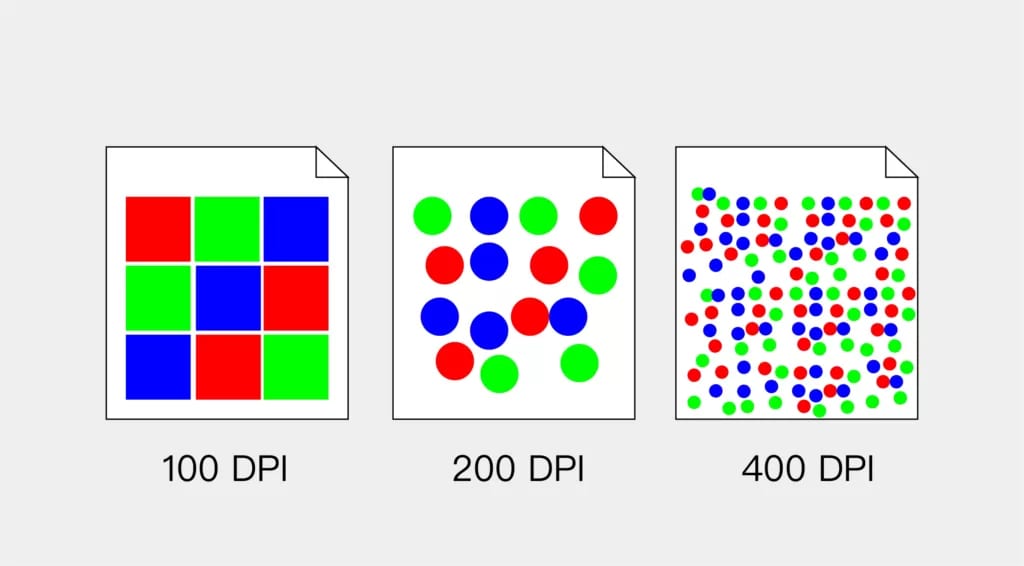
But a higher press DPI does not automatically mean a better result: a book printed at 1200 DPI may look no better than one at 700 DPI. Most print shops draw on experience to dial in the best result for each job. Books and magazines, for instance, mostly use around 200 DPI, while newspapers use 85 DPI.
Designers only need to worry about PPI, and leave DPI to the printer
For most designers and customers, PPI is the only thing you need to focus on, that is, the sharpness you see on your computer screen. As long as the PPI is high enough, the printing company can adjust the finished result to suit.
Do not let a low-resolution image ruin your print, so please check your images for sharpness before sending them over. You are welcome to email the artwork or design file to us and we will check it for you. We deliver across Hong Kong and Macau, and English is fine, so reach us by email at info@printingbanana.com or on WhatsApp (+852 3001 5678).