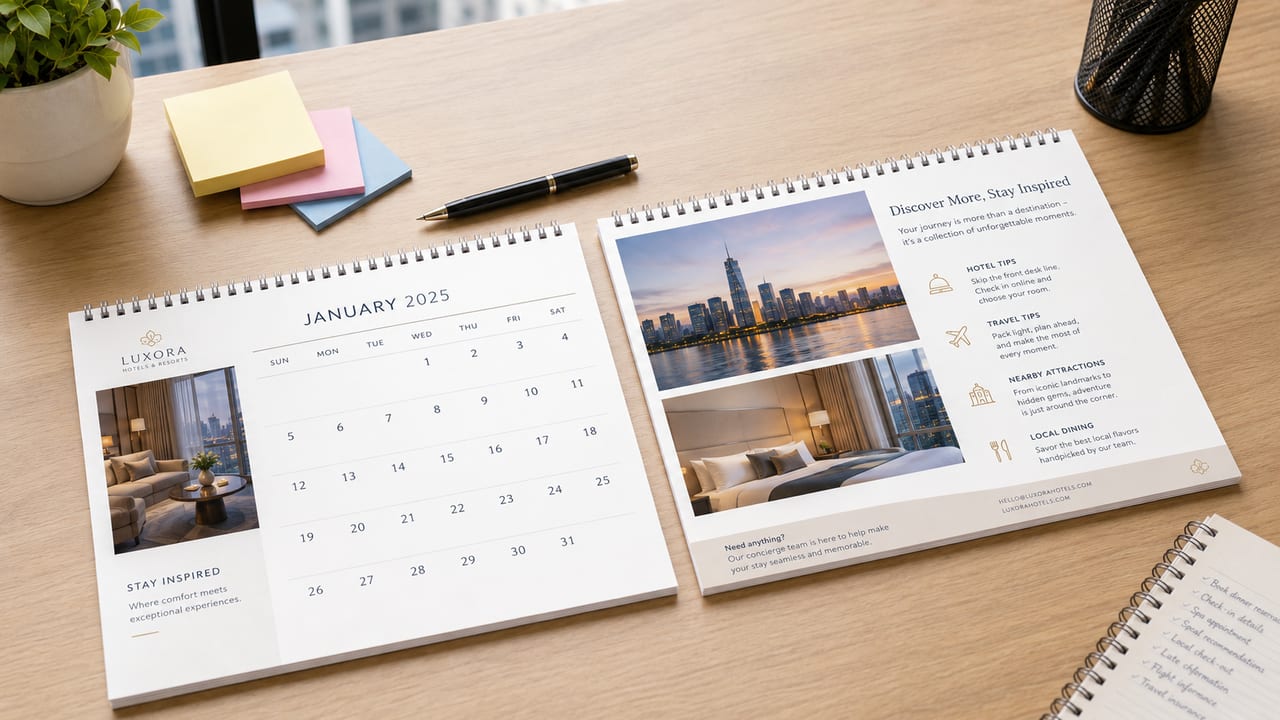
The most common problem with a company desk calendar is trying to squeeze a brand story, product shots, promotions, a phone number and a QR code onto every single month — so the one thing readers remember is how crowded it looks. If you want a client in Hong Kong or Macau to actually keep it on their desk for a year, start from one principle: each page does exactly one job.
Give Each of the 12 Months One Job
When people design a company calendar, they usually start with photos and colours — but what really decides whether the finished piece is useful is how you divide the content across the months. Begin with a simple table: for each month from January to December, write down the one thing that page should remind the client about — a holiday, an event, a maintenance prompt, a member offer, a service deadline, or simply a brand-image shot.
A B2B service company might work by quarter: renewals, audits, trade shows, year-end budget reminders. A retail brand might build its messages around Chinese New Year, the summer holidays, Mid-Autumn and Christmas. A calendar isn't the place to say everything about every product at once; it's a gentle nudge, once a month.
A 12-Month Content Plan (Example)
If you're not sure how to fill twelve months, use the example below as a starting draft, then adjust it to your brand, product cycle and client needs. A B2B company can slot in service milestones; a retail brand can line up with holidays and member activities; a school or organisation can use event schedules, admissions information or an annual theme.
Month | Suggested content job | Best-suited brands |
|---|---|---|
January | New Year greeting / annual service reminder | B2B / gift brands |
February | Chinese New Year message / client thank-you | Corporate gifts / enterprise clients |
March | Spring events / trade-show reminder | Service firms / event teams |
April | Easter activity / Q2 work prompt | Education / retail / family brands |
May | Mother's Day message / member relationship reminder | Retail / beauty / F&B |
June | Mid-year offers / maintenance reminder | Retail / product brands |
July | Summer activities / exhibition or course promotion | Education / events / travel |
August | Back-to-school prep / second-half service reminder | Schools / stationery / B2B |
September | Mid-Autumn / back-to-school / autumn events | Food / education / retail |
October | Q4 promotions / company event prompt | Corporate services / malls / event teams |
November | Year-end ordering reminder / Black Friday or member promo | E-commerce / retail / gift brands |
December | Christmas / next-year budget / renewal reminder | B2B / enterprise clients |
Even without a finished design, you can use this table to organise each month's theme first, then hand it to a designer or printer to judge whether the layout can actually hold it all.
The Date Comes First, the Brand Second
A desk calendar sits on a desk, and the first thing a reader wants from it is the date — not an advert. If the dates are too small, the photos too loud, or the brand copy too long, the calendar loses its usefulness. Treat the date area as the lead, and keep brand messaging in a steady, secondary spot.
Photos Don't Have to Change Every Month — but the Style Should Match
Twelve strong photos will make a calendar feel complete. But if photo quality is uneven, you're better off rotating four to six key visuals paired with a different sub-heading each month — say, one image per quarter.
Before you start designing, sort your photos into three groups: good enough for a main image, usable only as a supporting element, and don't use. Low-resolution shots, or ones with a busy background, aren't suited to filling a large area.
Keep the QR Code in a Fixed Spot — Don't Reinvent It Every Page
If the calendar needs to point people to WhatsApp, a product page, a quote form or an event page, the QR code should live in a fixed spot with enough white space around it, well clear of busy backgrounds.
The QR code doesn't have to do the same job all year, either. Rather than changing it on every page, give it one action per quarter:
Quarter | Example QR code destination |
|---|---|
Q1 | View the service overview / new-year collaboration plans |
Q2 | Download resources / view the product catalogue |
Q3 | Book an enquiry / register for an event |
Q4 | Prepare next year's materials / year-end ordering reminder |
Paper Stock and Foiling Affect How Much You Can Fit
Desk calendar stocks to consider include 300gsm Conqueror Laid in ivory, 300gsm linen-textured paper, 157gsm gloss art paper, 200gsm gloss art paper and 300gsm eggshell paper; finishing options run from no foil stamping to single-sided foil stamping and single-sided half-page interior foil stamping. If you go for a textured stock or foiling, leave a little more white space so the material and the brand feel come through; if your content leans informational, make sure the text, dates and QR code stay legible on the stock you've chosen.
If you haven't settled on a stock yet, check the basic specs for desk calendar printing first, then decide whether your calendar leans towards corporate image, festive gift or practical reminder. When you send artwork, confirm that images are sharp enough, that important text and the QR code aren't too close to the edge, and note any extra finishing that needs flagging.
A Few Things to Check Before You Send Artwork
When you prepare artwork for a company desk calendar, it isn't only about checking the dimensions — check whether the content really earns a full year on someone's desk.
Run through these points first:
Check item | What to watch for |
|---|---|
Monthly theme | Does each page have just one main job? |
Date area | Is it clear at a glance? |
Photo quality | Any low-res, colour-off or style-inconsistent images? |
QR code | Large enough, with enough white space, and does it scan? |
Logo placement | Consistent on every page, not shrinking and growing? |
Text density | Too much brand story or product detail? |
Finishing | Any foiling, special stock or other effects needed? |
FAQ
Does every page of a company desk calendar need a product on it?
No. If every page pushes a product, readers quickly feel like they're looking at an advert. It works better to spread products, service reminders, festive messages and brand imagery across different months.
Should there be a QR code on every page?
If the call to action is the same throughout, consider keeping just one QR code in a fixed position. Only swap it by month or quarter when different months genuinely have different activities — and always keep the scanning area clear.
Can I make a calendar without twelve high-quality photos?
Yes. It's better to use a few strong photos with a consistent design than to force in low-resolution images. What matters is that the whole calendar looks coherent, not that every page is completely different.
Should a company calendar feature brand photos, product photos or festive messages?
Start from the calendar's main job. If it's a corporate-image gift, brand photos and a consistent look matter most. If it's a client reminder, use service milestones, maintenance prompts or QR codes. If it's festive promotion, that's when messages for Chinese New Year, Mid-Autumn and Christmas move to a more prominent position.
Laying Out a Calendar Isn't Hard — but the Purpose Must Be Clear
Start by pulling together your twelve monthly themes, photos, logo, QR code destinations and how many of each you need. Even without a finished design, get these details ready, then use the desk calendar specs to judge whether the layout can hold everything, and check the format options for desk calendar printing. We deliver across Hong Kong and Macau, and if you'd like a hand planning the pages, message us on WhatsApp at +852 3001 5678 (English is fine).