
Every so often a customer asks us why the black on their printed cards looks fuzzy instead of sharp. When our team opens the artwork, the answer is almost always the same: the file was built in rich black. So what exactly is rich black (four-colour black), why does it blur your text, and when should you avoid it in your design? Here's the plain-English version.
1. A quick word on CMYK
Anyone who has touched graphic design knows the basic rule: print files have to be built in CMYK colour mode.
C is cyan, M is magenta and Y is yellow — if you've ever painted with watercolours, the idea is familiar. Mixing C, M and Y gives you most of the colours you need, and printing works the same way. But because of the limits of how ink is made, the black you get from mixing CMY simply isn't black enough, so printing adds a separate K (black) ink.
That's what gives us the CMYK four-colour printing model — what printers usually call four-colour or full-colour printing. Apart from the special spot colours a design or brand might specifically call for (gold, silver and the like), every other colour can be mixed from those four base process inks.
2. What is rich black?
When you choose black in your design, a value of C = 0, M = 0, Y = 0, K = 100 is single black. A value of C = 100, M = 100, Y = 100, K = 100 is rich black (four-colour black) — it doesn't have to be all 100s; any combination of the four inks that produces a black effect counts as rich black. In Figure 1, when you're working in design software and pick black without thinking about the printing side, you'll usually just grab the darkest colour in the colour picker (move up if you want grey).
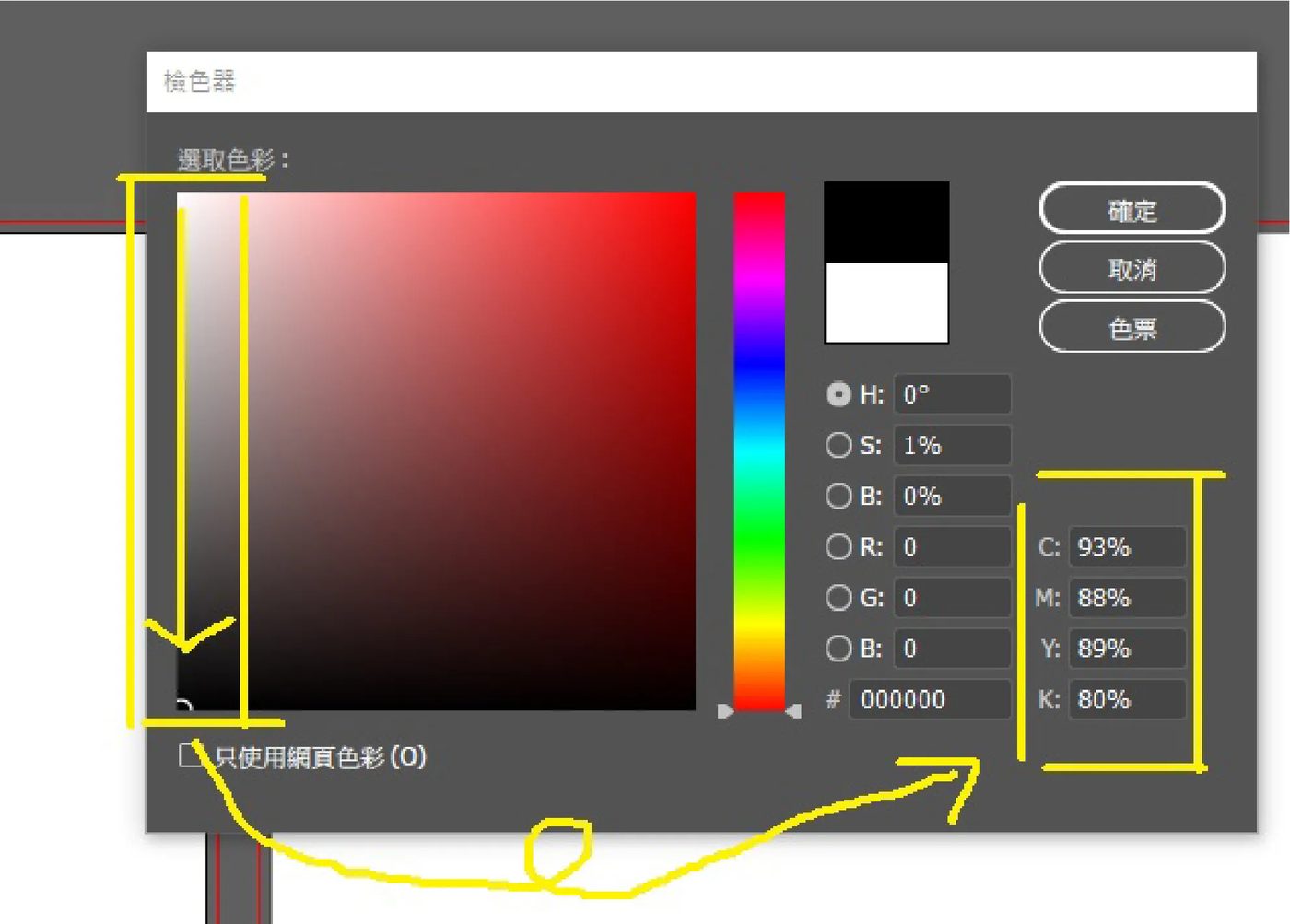
(Figure 1)
Vector and image programs such as CorelDRAW (CDR) and Photoshop set black as a default swatch, but that default black is often a rich-black value — and on screen it looks blacker than plain black. So when designers want black to really stand out, they pick the seemingly "blacker" black. From a printing point of view, though, that black is a poor choice.
3. Why you shouldn't use rich black
As we covered in our earlier article on CMYK colour mode, you can make black either by combining CMYK inks or by using the K black ink on its own. But in the printing trade, unless there's a specific reason not to, we strongly recommend single black — especially for large black areas. When you overlay and mix four inks, the press will inevitably have some registration error, and for very small type that misregistration becomes far more damaging. So the usual recommendation is to print black with the K ink alone, which sidesteps the problem entirely.
4. Rich black vs single black: a demonstration
Using Photoshop's Channels panel, you can see exactly how the colours separate for printing (you'll need to set the colour mode to CMYK first). In Figure 3, a piece of text set in rich black shows colour in all four channels — cyan C, magenta M, yellow Y and black K.
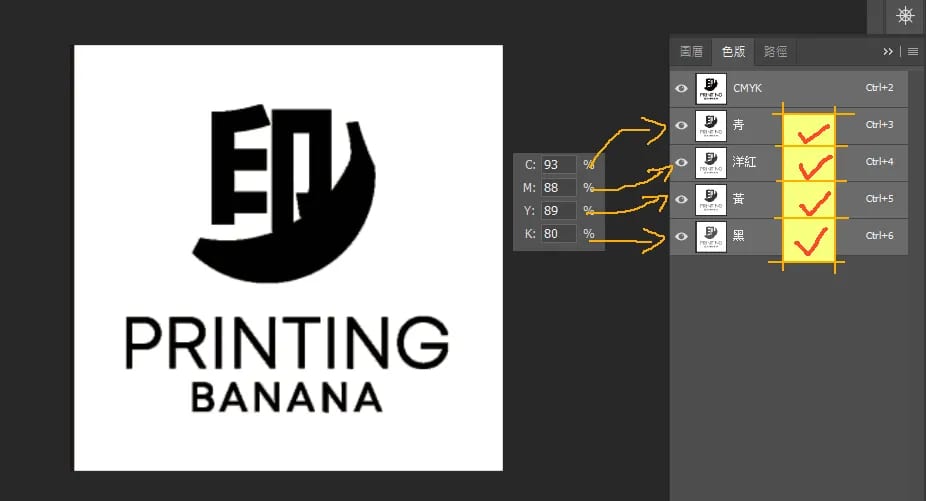
(Figure 3)
Now look at Figure 4, a piece of text filled with single black (K = 100): cyan C, magenta M and yellow Y are all blank, and only the black K channel is used.
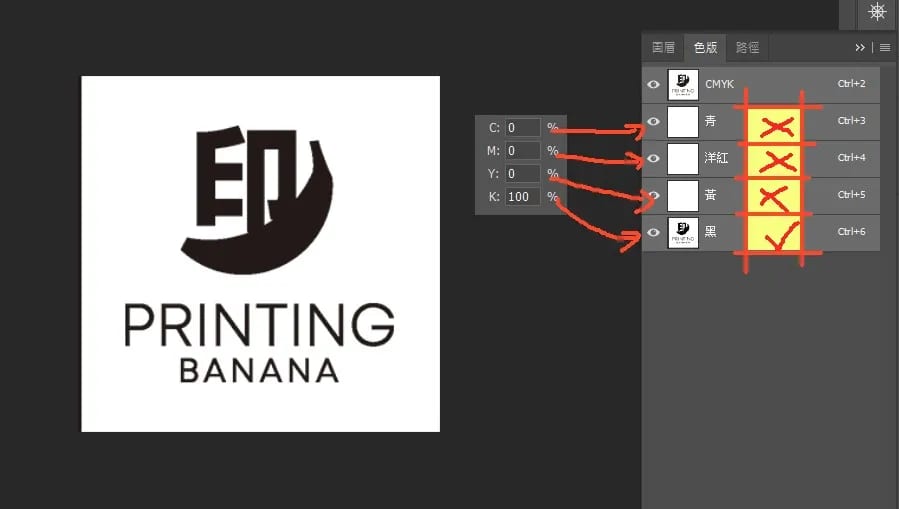
(Figure 4)
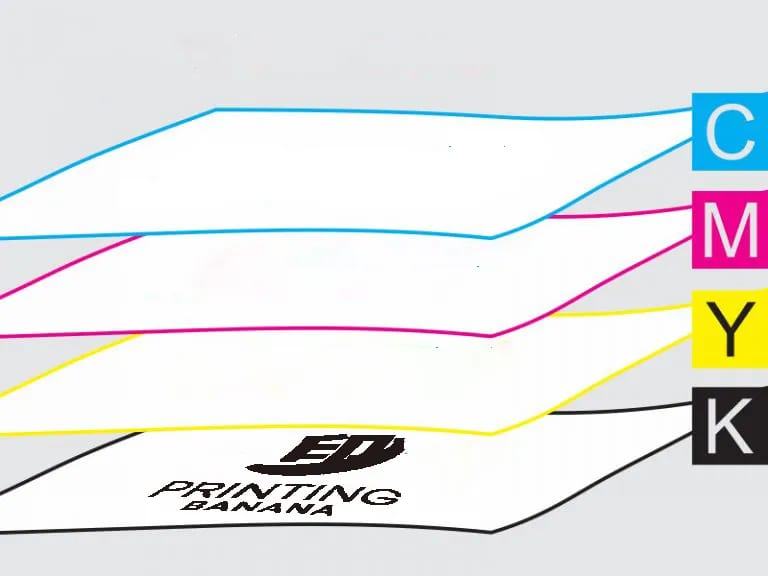
In Figure 5, printing the Figure 3 file means laying down all four channels one after another. If the press is off by even 0.05 mm, small text ends up blurry.
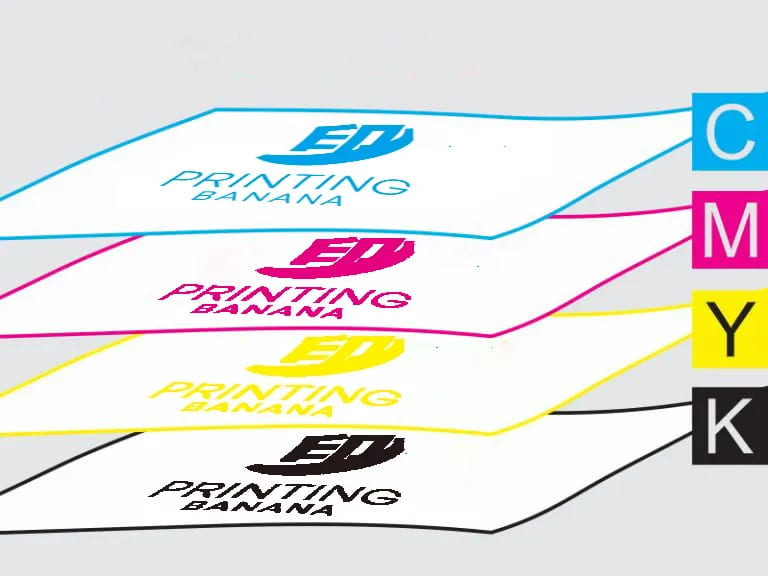
(Figure 5)
In Figure 6, printing the Figure 4 file only needs the fourth K black channel — the other three channels aren't printed at all. There's no misregistration to worry about, so small text stays crisp.
(Figure 6)
5. In summary
1. Rich black means the black you use carries colour values in cyan C, magenta M, yellow Y and black K — not just a K = 100 fill.
2. Because rich black overlays four inks, and presses inevitably have some registration error, small text can come out misregistered.
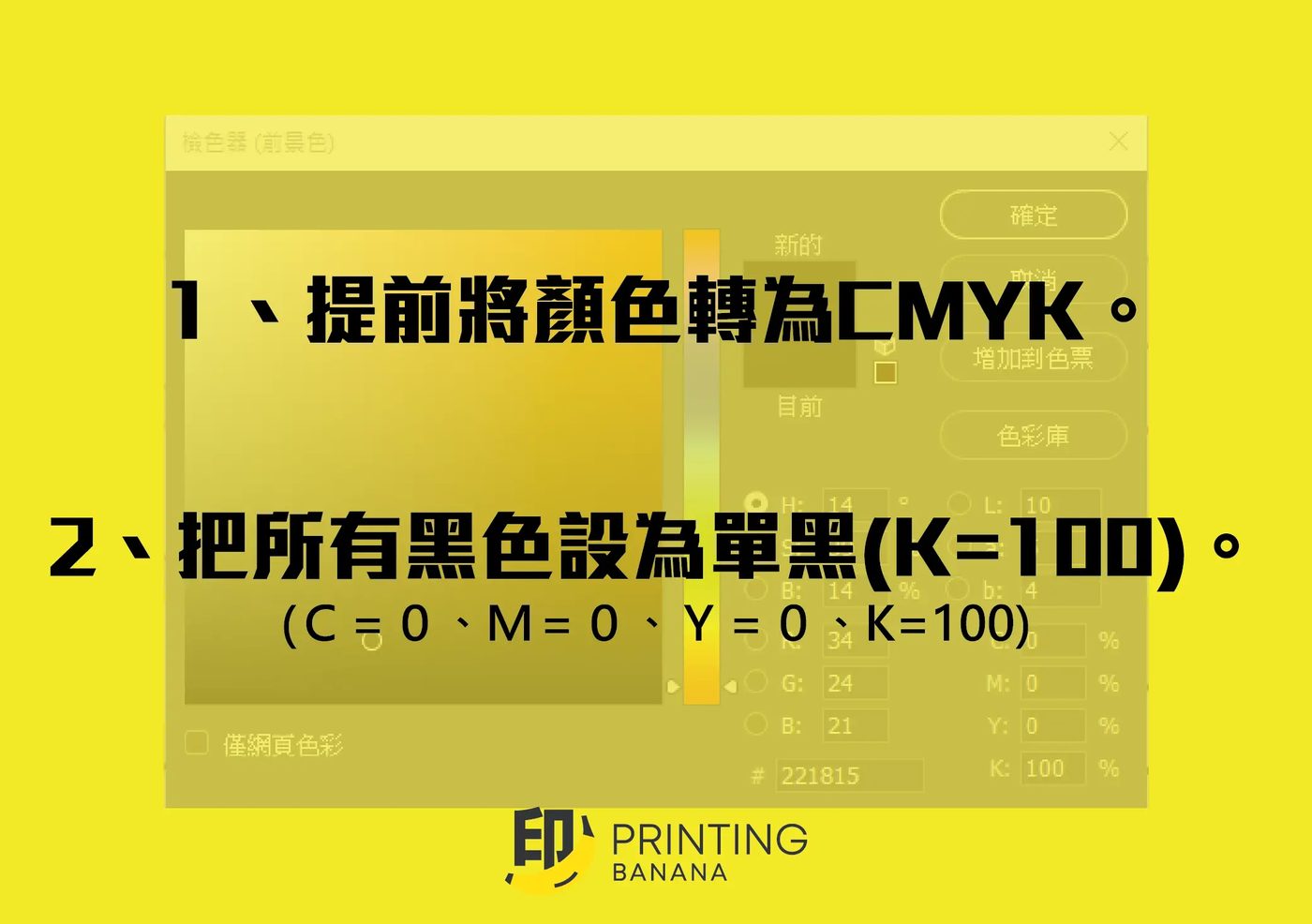
3. When you're printing black, fill with K = 100 (in CMYK mode: C = 0, M = 0, Y = 0, K = 100).
4. Very, very tiny text is generally best kept off heavy multi-ink colours too — same reason: repeated ink overlays hurt the look of small type.
5. Once printed, rich black is not "blacker" than single black! The same goes for grey — and rich-black values can print with a green or red cast and other colour shifts.
Not sure whether your file is set to rich black or single black? Send it over and our team in Hong Kong will check it before we print. We deliver across Hong Kong and Macau, and you can WhatsApp us any time at +852 3001 5678 (English is fine).