A desk calendar is one of those products you never go back from once you start using it. Because it sits on your desk all year, most people want one they genuinely love looking at.
A calendar matters more than it seems. It tells us what day it is today and what tomorrow holds; it lets us look at the past, the present and the future all at once; and flipping through the dates is a quiet reminder of how time passes. Most of us also jot notes on ours, so by the end of the year a single calendar holds a whole year of small moments.
In this guide we'll build your own calendar from scratch. We'll do it in Canva rather than Adobe Illustrator (AI), since not every reader owns or knows their way around pro design software — and Canva ships with ready-made calendar templates you can start from straight away.
Set up your design file in Canva
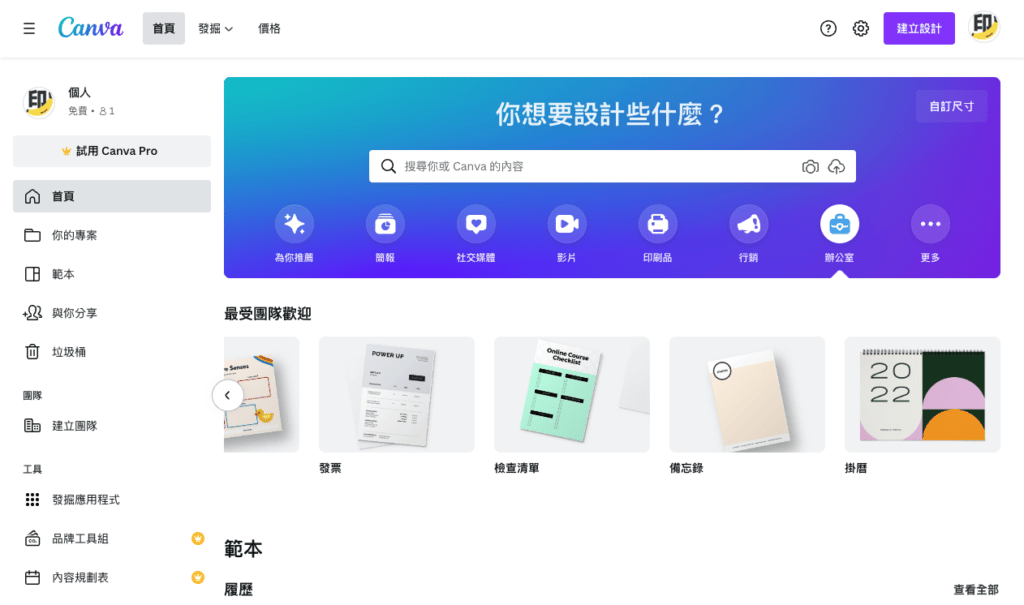
Once you're logged in, you'll find a Calendar option under Office Supplies on the home page. Canva's default size is 210 x 297 mm, which is A4, though A5 is the size most people actually use. To switch from A4 to another size, use the Resize function — but note that this feature requires a paid (Pro) account. If you only need proportional scaling, your printer can handle that for you: scaling proportionally won't distort the content, whereas changing to a different aspect ratio will.
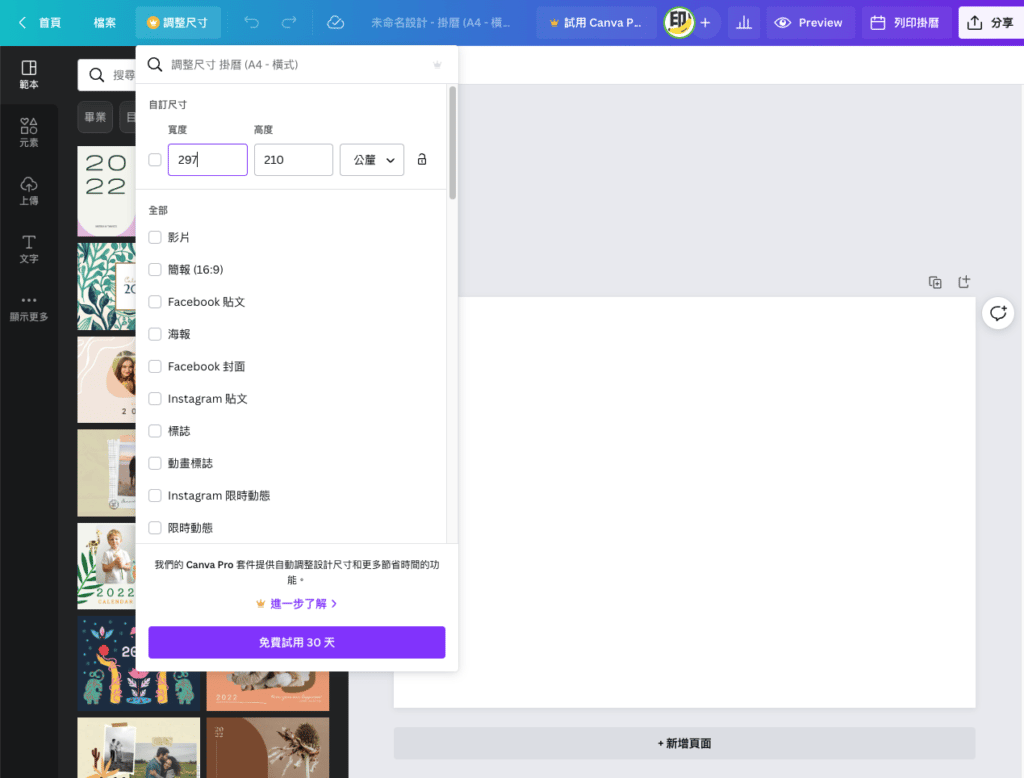
Canva offers plenty of free templates, so pick the one you like best — this is the one I went with. You're free to tweak the content and layout however you like, but if layout isn't your strong suit, it's best not to change too much, since it can affect how the piece prints.
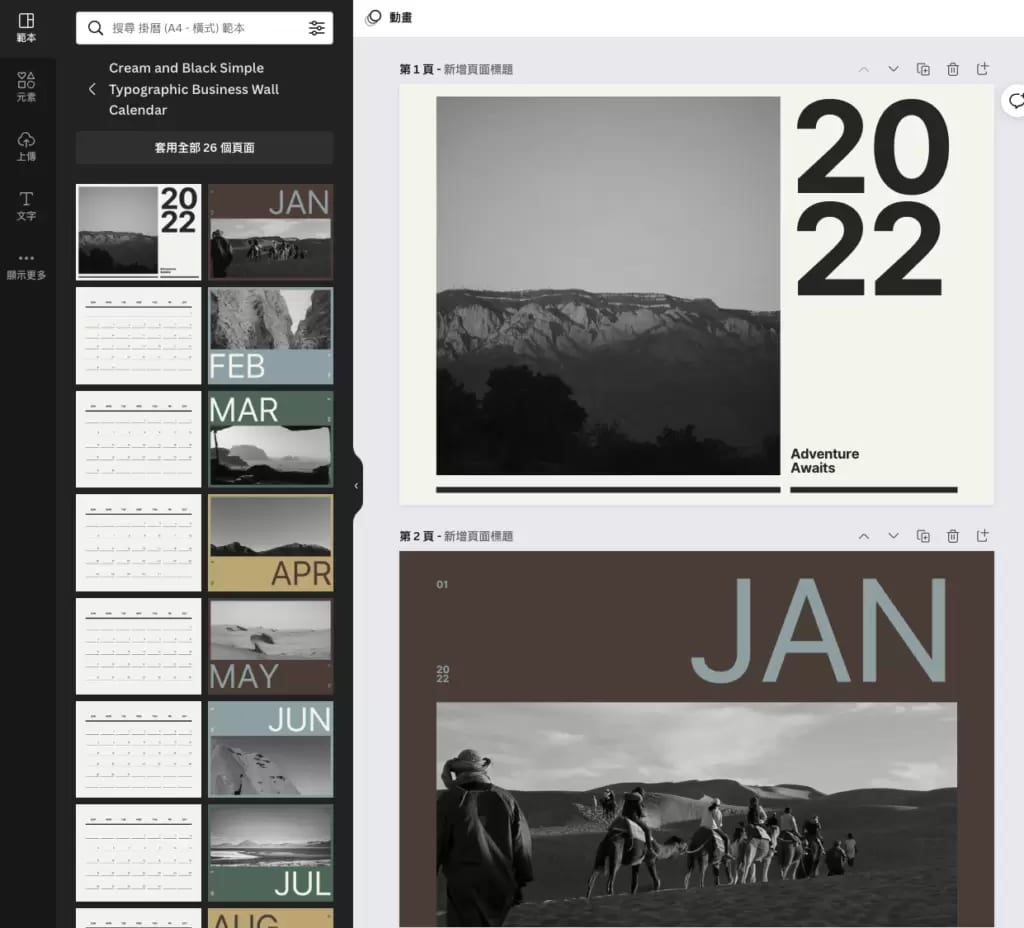
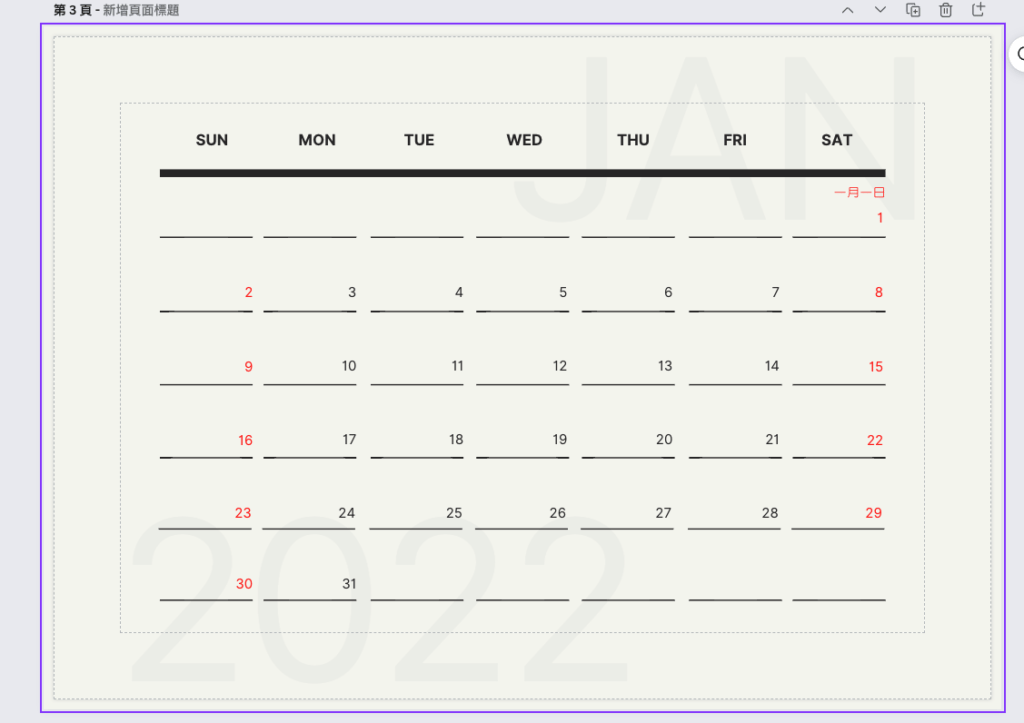
Add the public holidays
Public holidays are a big deal, so we definitely want them on the calendar. With more than half of 2022 already gone, it's a good time to get ready for the year ahead — though there's nothing wrong with making a pretty DIY calendar just for the rest of this year, either. Below are the Hong Kong public holidays for 2022 and 2023; it's worth bookmarking them.
2022 Hong Kong public holidays: https://publicholidays.hk/zh/2022-dates/ 2023 Hong Kong public holidays: https://publicholidays.hk/zh/2023-dates/
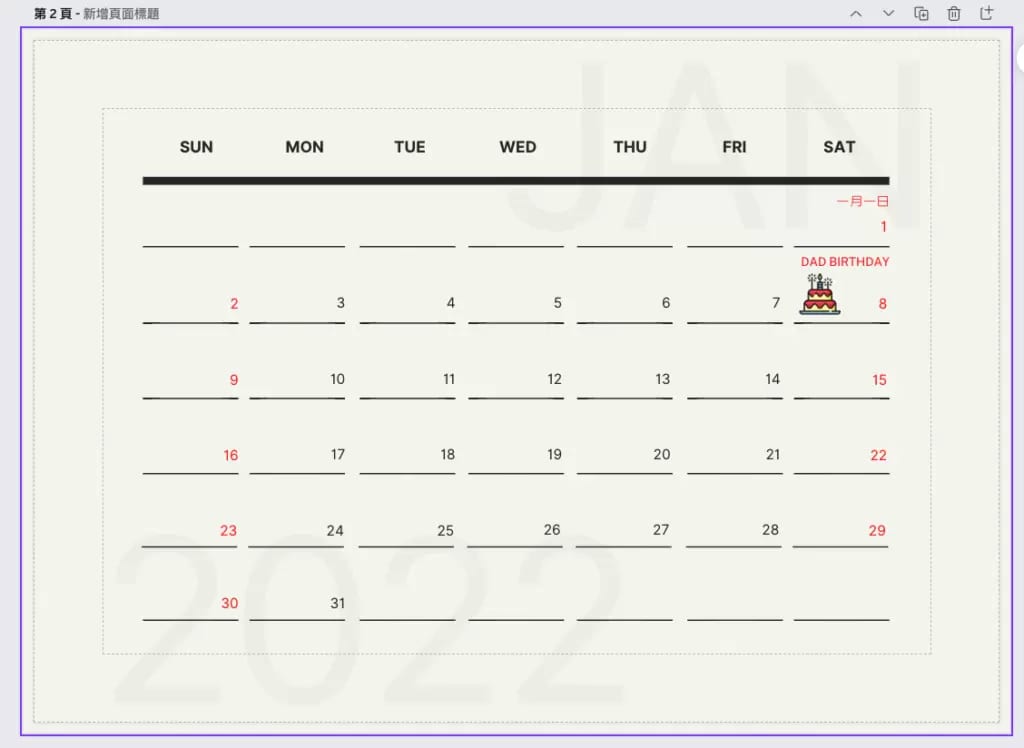
Add the dates that matter to you
Beyond public holidays, add the birthdays of family and friends and any dates worth remembering. That way a hectic stretch at work won't make you forget the ones that count. Canva lets you drop in your own images and graphics, and it already comes with plenty of free elements — but if you want something more distinctive, you'll find it on FLAT ICON.
What to watch out for when designing
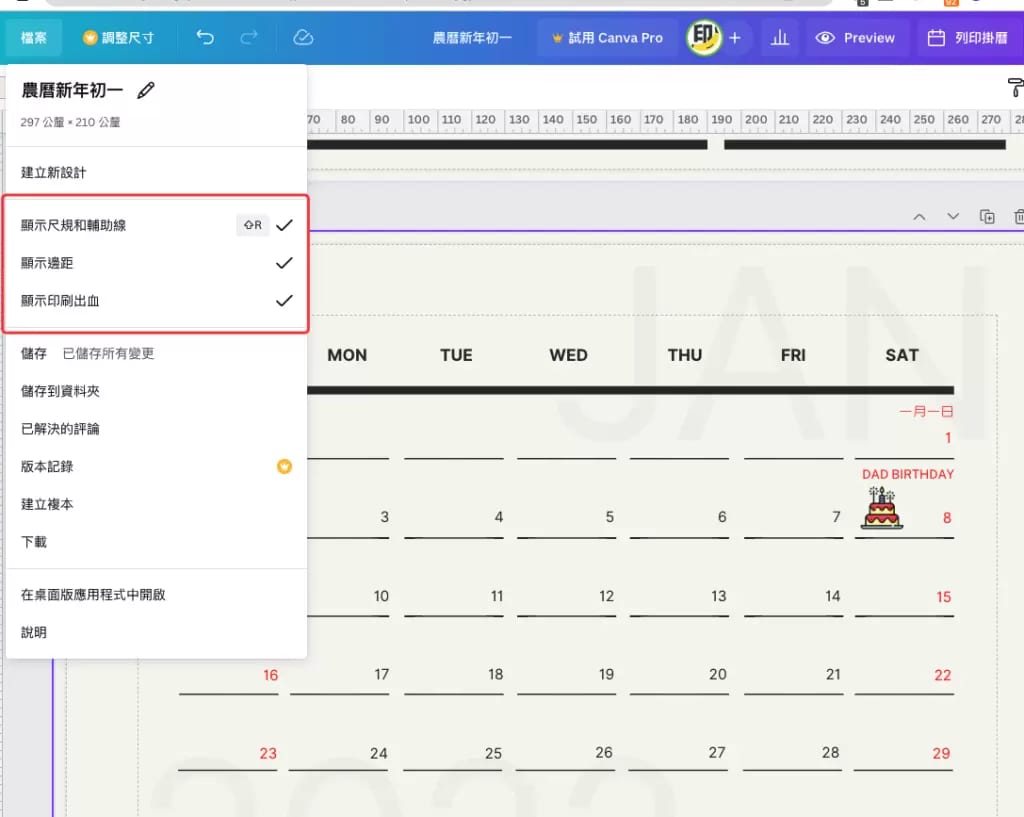
Since this design is going to be printed as a physical calendar, there's a fair bit to keep in mind — plenty of fine details simply can't be reproduced in print. Because we're designing in Canva, all we really need to focus on is the design area and the bleed, so turn on the following options in your file.
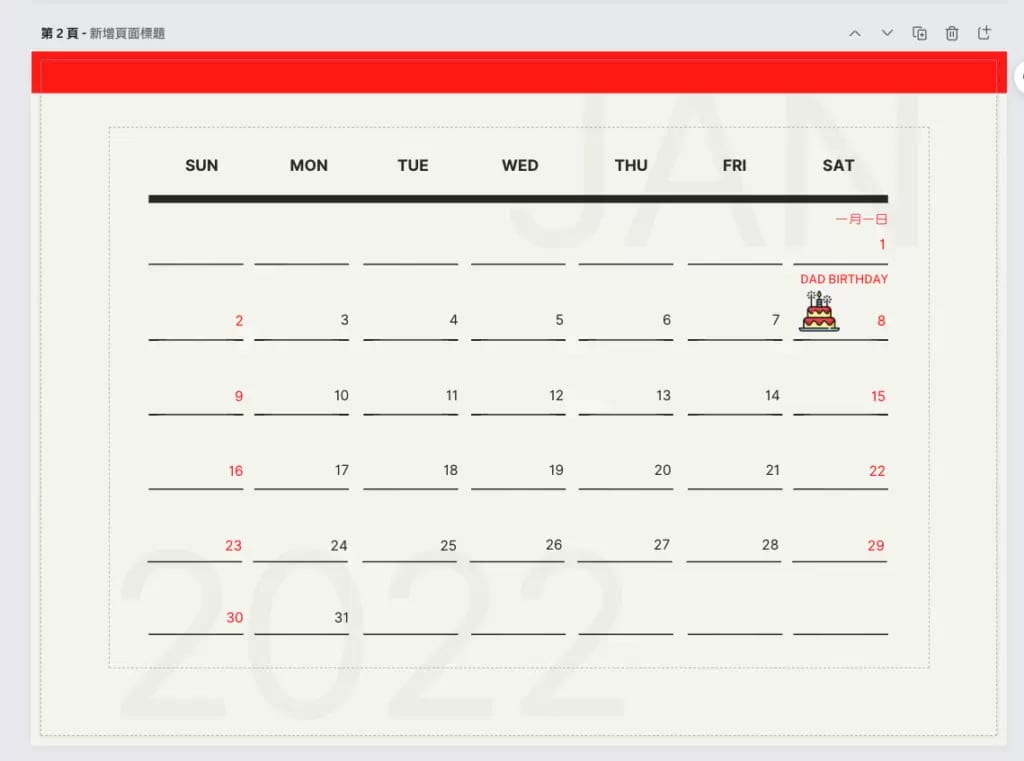
As you design, keep the main content, text and images inside the margin — the smallest dashed box in the image. Crossing that line will throw off the overall look. You also need to leave 10 mm at the top for binding, shown as the red band in the image below.
Print output settings
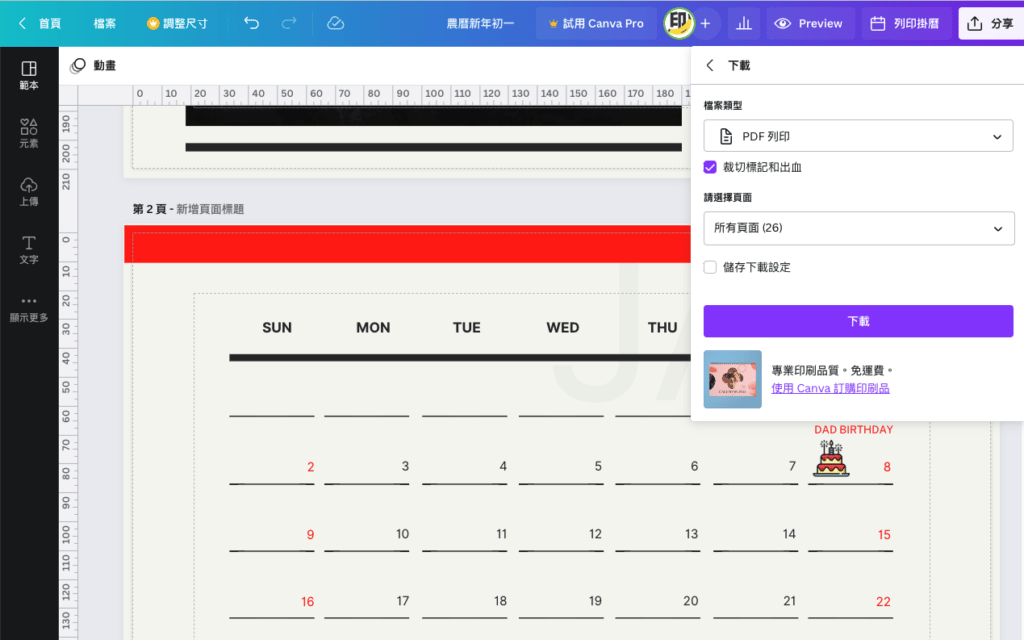
Printing calls for a PDF, and you can export one straight from Canva. As long as you haven't used any paid elements, look under Share → Download for the "PDF Print" option. Before you download, tick Crop marks and bleed so the PDF includes a bleed area. Bleed exists to absorb the small margin of error during cutting, so it's essential.
The finished calendar
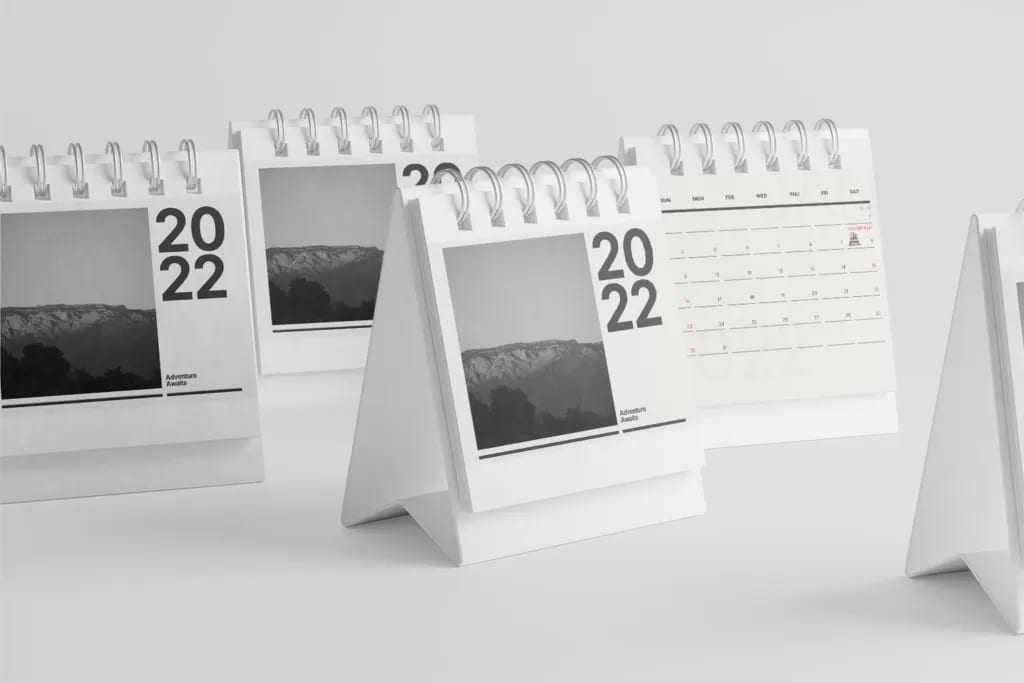
A calendar reminds us to treasure time and seize today
Every time you glance at the dates on a calendar, it's hard not to feel how quickly the days slip by — a whole year's worth seems to be used up before you know it. A calendar doesn't just help us plan ahead and look back; more than anything, it reminds us to make the most of today.
Once your PDF is ready, we can turn it into a finished calendar for you. Order calendar printing online with delivery across Hong Kong and Macau, or message us on WhatsApp at +852 3001 5678 if you'd like a hand with your file — English is fine.